

OpenCut has nearly 96,000 stars on GitHub, making it the most-starred open source video editor on the platform. If you search for a free video editor that runs in your browser, there's a good chance you'll come across it.
There's just one problem: OpenCut doesn't appear to be actively maintained anymore.
The editor at opencut.app hasn't received updates in months. The original repository has been archived, and the rewrite that was supposed to replace it hasn't made much progress.
I spent an afternoon looking through OpenCut, its GitHub repository, and its Discord community to see what was going on.
Here's what I found, and why I think Donkey Cut, the open source video editor we're building, is a better alternative today.
OpenCut hasn't been updated in months
The GitHub repository for the OpenCut editor you can use today was archived on May 16, 2026. That means nobody can push new code, submit pull requests, or open issues there anymore.
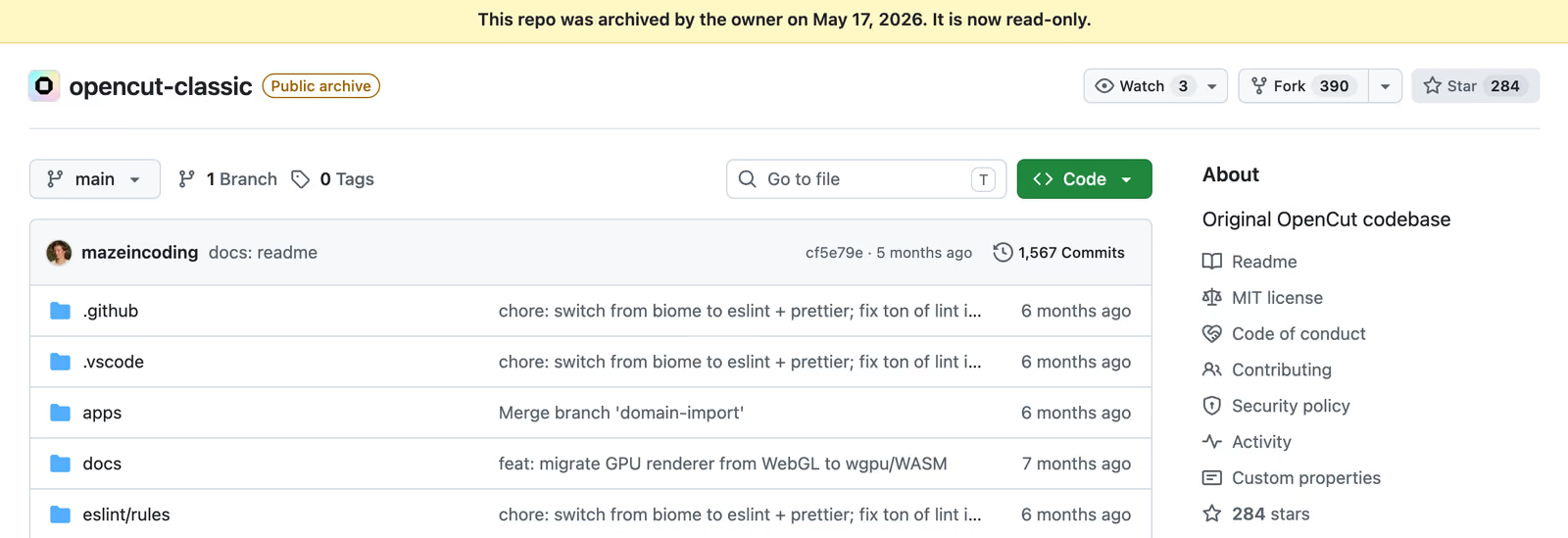
And that's a problem because people are still running into bugs.
Since the original repository was closed, users have been reporting problems in the main OpenCut repository instead. At the time I checked, there were 286 open issues and 99 open pull requests.
Just in the past week, someone reported exports getting stuck at 5%. Another user reported exporting videos with broken audio.
Neither issue has received a response from a maintainer.
For anyone trying to finish a video, that's frustrating. It's hard to rely on an editor when you don't know whether a bug will ever get fixed.
What happened to the OpenCut rewrite?
OpenCut was supposed to get a complete rewrite.
According to its README, the team planned to rebuild the editor around a Rust core, with support for desktop, mobile, and the browser.
It sounded pretty ambitious. The plans included plugins, an MCP server, and even a headless editing mode.
But looking through the commit history, it doesn't seem like the rewrite got very far.
There was a burst of activity in late July. The last actual code commit was on August 1, when some GPUI primitives were added.
Since then, there's only been one more commit, on September 24, which added a CI workflow for building FFmpeg.
The new web editor is basically an empty route. The desktop version opens a window with some panels, but there's no working editor inside.
The other concerning part is that the main developer seems to have gone quiet.
The lead maintainer, who contributed more than a thousand commits, hasn't responded to an issue or pull request since August 1. I also spent some time in the project's Discord and couldn't find any recent activity from them there.
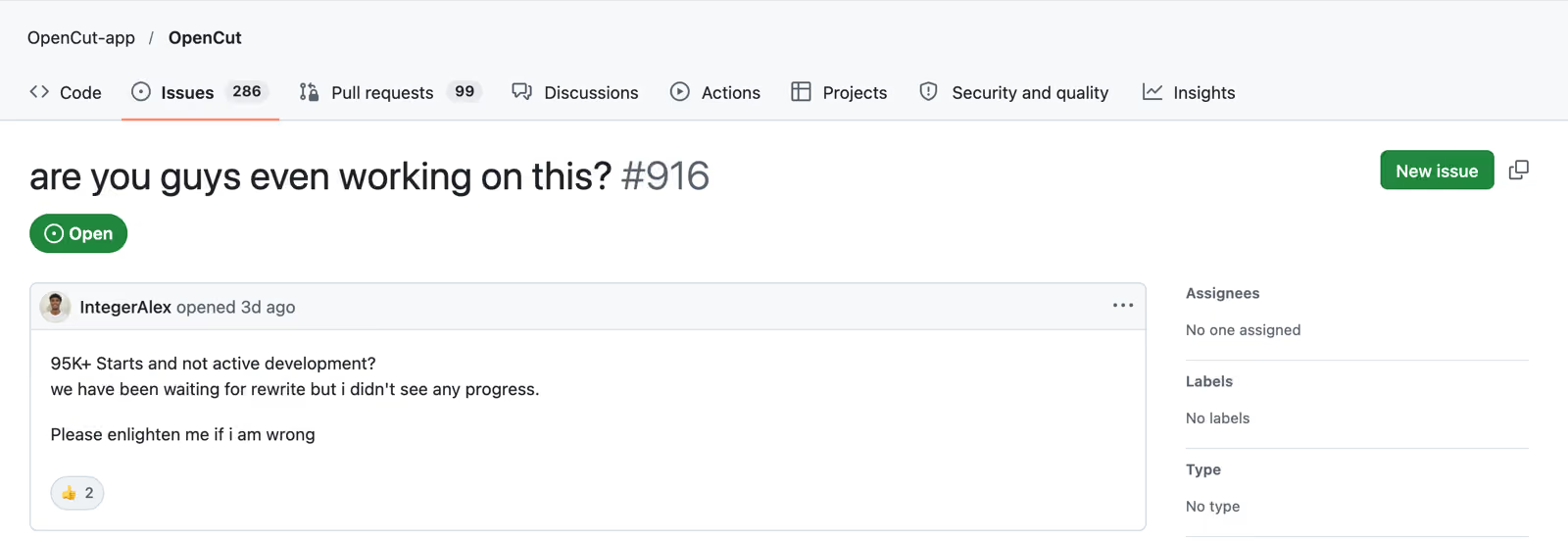
On October 20, someone even opened a GitHub issue asking, "are you guys even working on this?"
Nobody has responded.
I don't know what happened behind the scenes. Maybe the maintainer got busy, lost interest, or is planning to return.
Open source projects are often maintained by people in their spare time, and I know firsthand how much work that can be.
But from a user's perspective, the result is the same. The current editor isn't getting fixes, and the replacement isn't ready.
For now, I'd consider OpenCut abandoned.
What can you actually do with OpenCut?
To be fair, OpenCut does work for basic editing.
You can import footage, arrange clips on a multi-track timeline, add text and stickers, generate captions, and export a video.
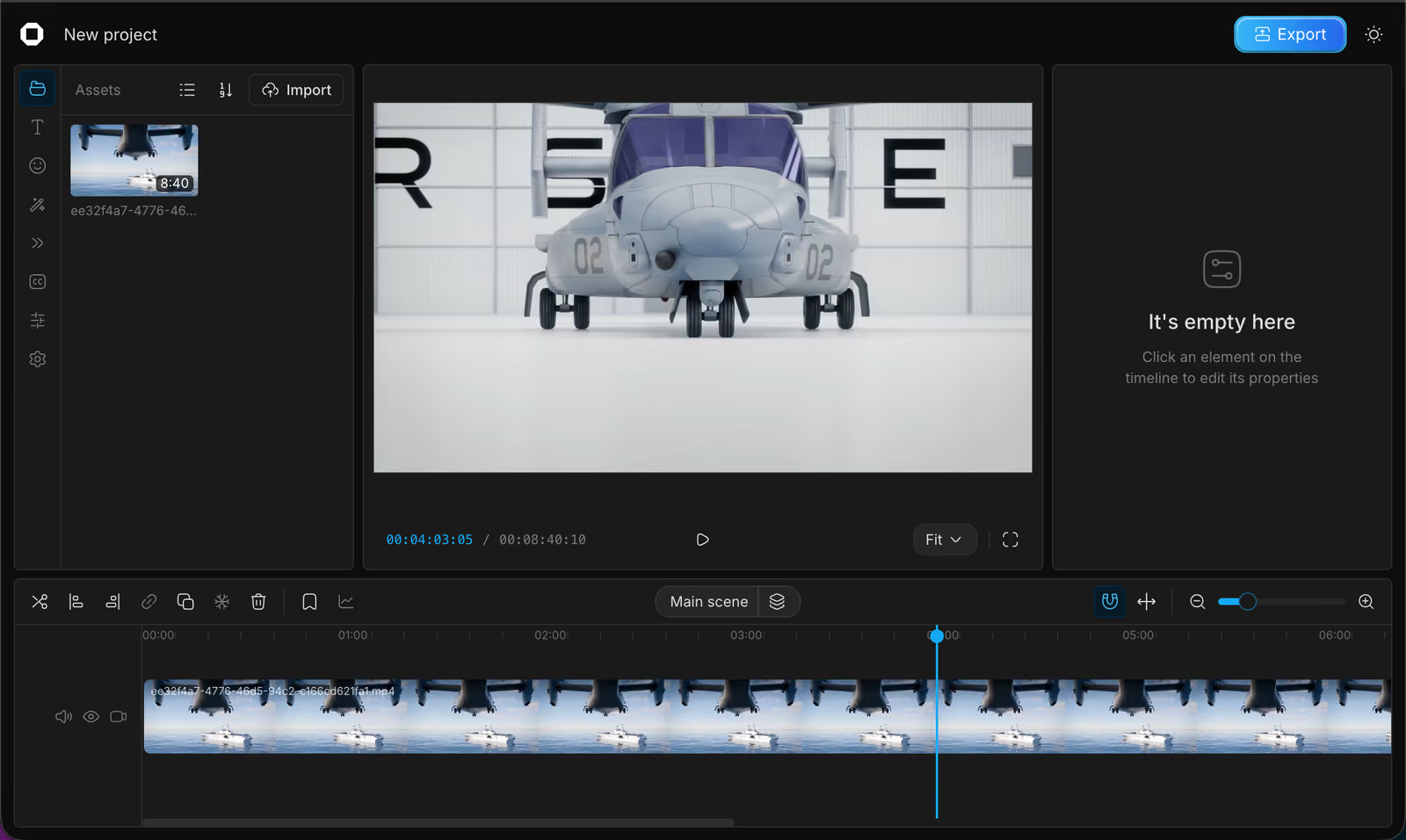
Your projects are also stored in your browser, which is nice if you don't want to upload your footage.
But once you start editing, you'll notice quite a few limitations.
For example, the Effects panel has exactly one effect: Blur.
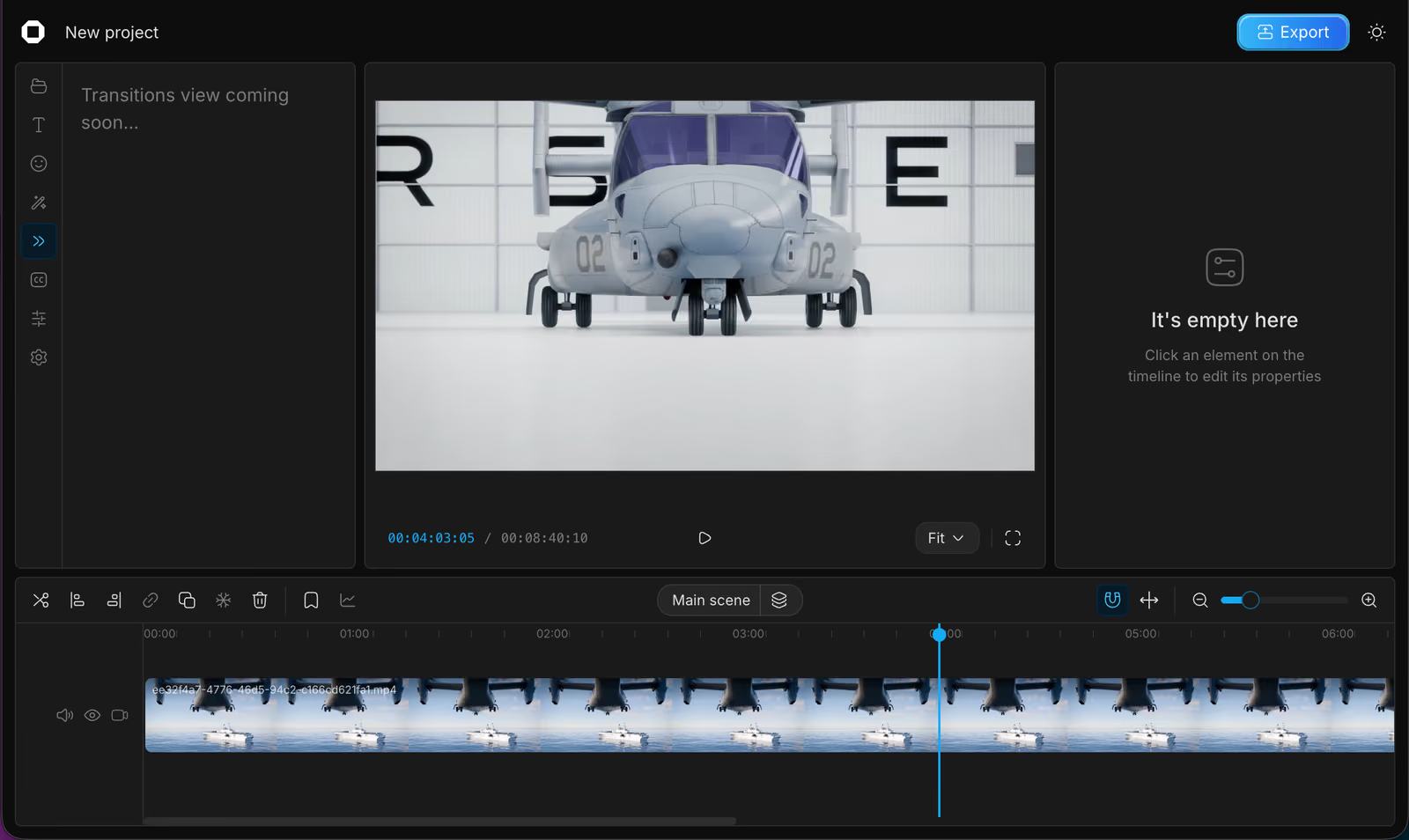
The Transitions panel just says "Transitions view coming soon..."
And if you try opening the editor on your phone, you'll see a "Desktop only (for now)" message.
There's also no chat-based editing assistant or built-in media generation.
Some of these limitations would have been fine for an early-stage project that was actively improving.
The problem is that the repository is archived, so there's no indication those missing features are ever coming.
Why we're building Donkey Cut
I'm one of the people building Donkey Cut.
We started working on it because video editing felt way more complicated than it needed to be. A lot of editors have hundreds of buttons and settings, even when all you want to do is put together a decent video.
We wanted to make something simpler, without taking away the tools people actually need.
Like OpenCut, Donkey Cut is open source and runs in the browser. It's licensed under Apache 2.0, and you can start editing at donkeycut.com/app.
But there are a few important differences.
Your footage doesn't have to live in the cloud
One thing I really like about browser-based editors is being able to open a website and start editing without installing anything.
But I also don't think everyone should have to upload their videos just to edit them.
With Donkey Cut, you can choose where your project lives.
Browser projects keep your footage in your browser's private storage. If you're on a Mac, our companion app lets you work directly with files stored on your computer, in a folder under ~/Movies.
And if you want to access your project from different computers or share it, you can use cloud storage instead.
All three options work in the same editor, so you don't have to learn a different workflow.
The editing tools are actually there
Donkey Cut has the tools you'd expect from a video editor.
You can work with multiple video and audio tracks, add transitions, animate titles and overlays with keyframes, adjust colors, apply LUTs, and generate captions with word-level highlighting.
There are 21 video and audio transitions, background removal that runs on your device, and a built-in library where you can find stock videos, images, and music.
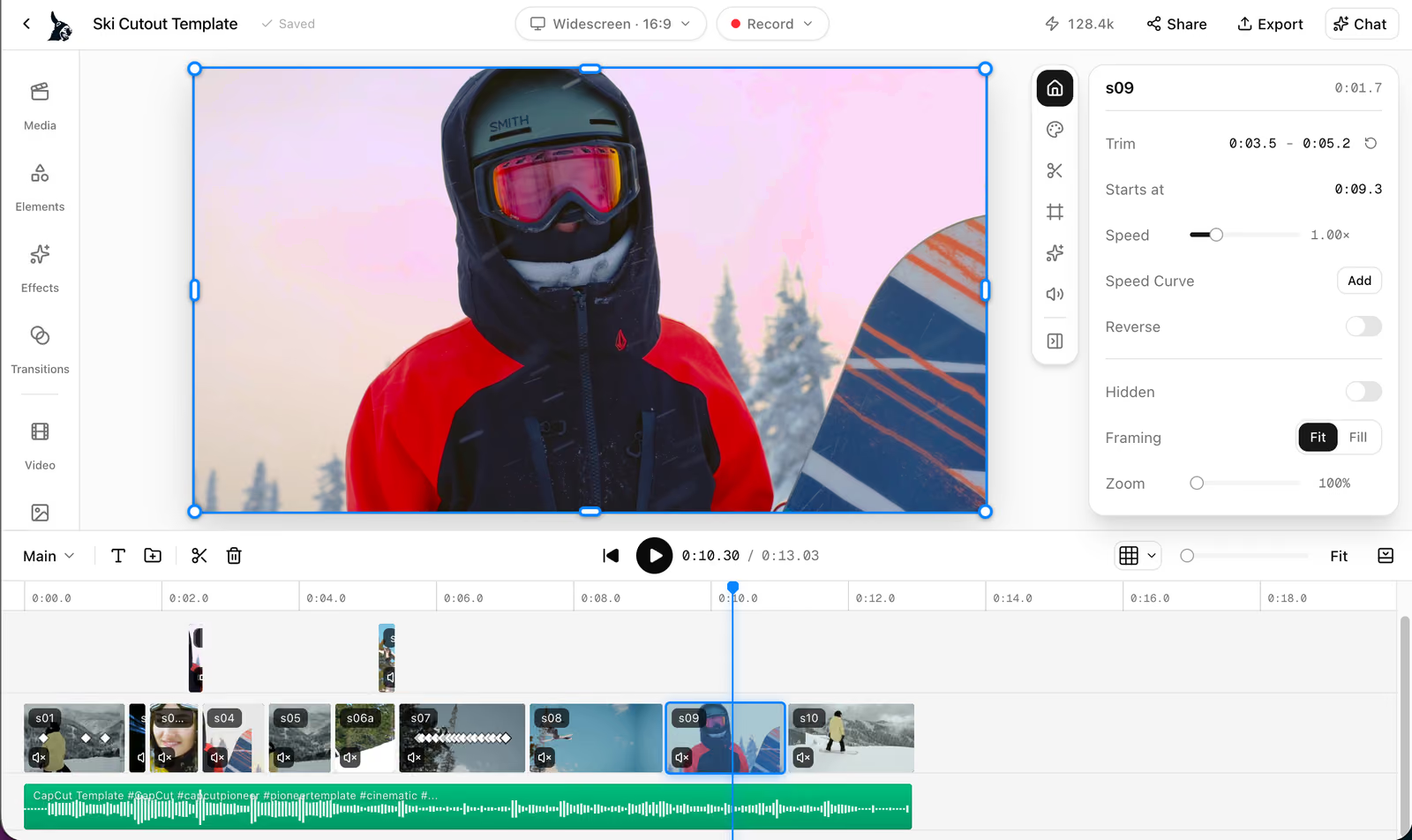
We're still adding features, but the goal is simple: you should be able to finish a video without constantly running into missing tools.
You can also edit by chatting
This is probably my favorite part of Donkey Cut.
Instead of figuring out which buttons to click, you can just describe what you want.
For example, you can ask Donkey Cut to remove the silences, add captions to the talking parts, and put a fade to black between scenes.
It makes those edits directly on your timeline.
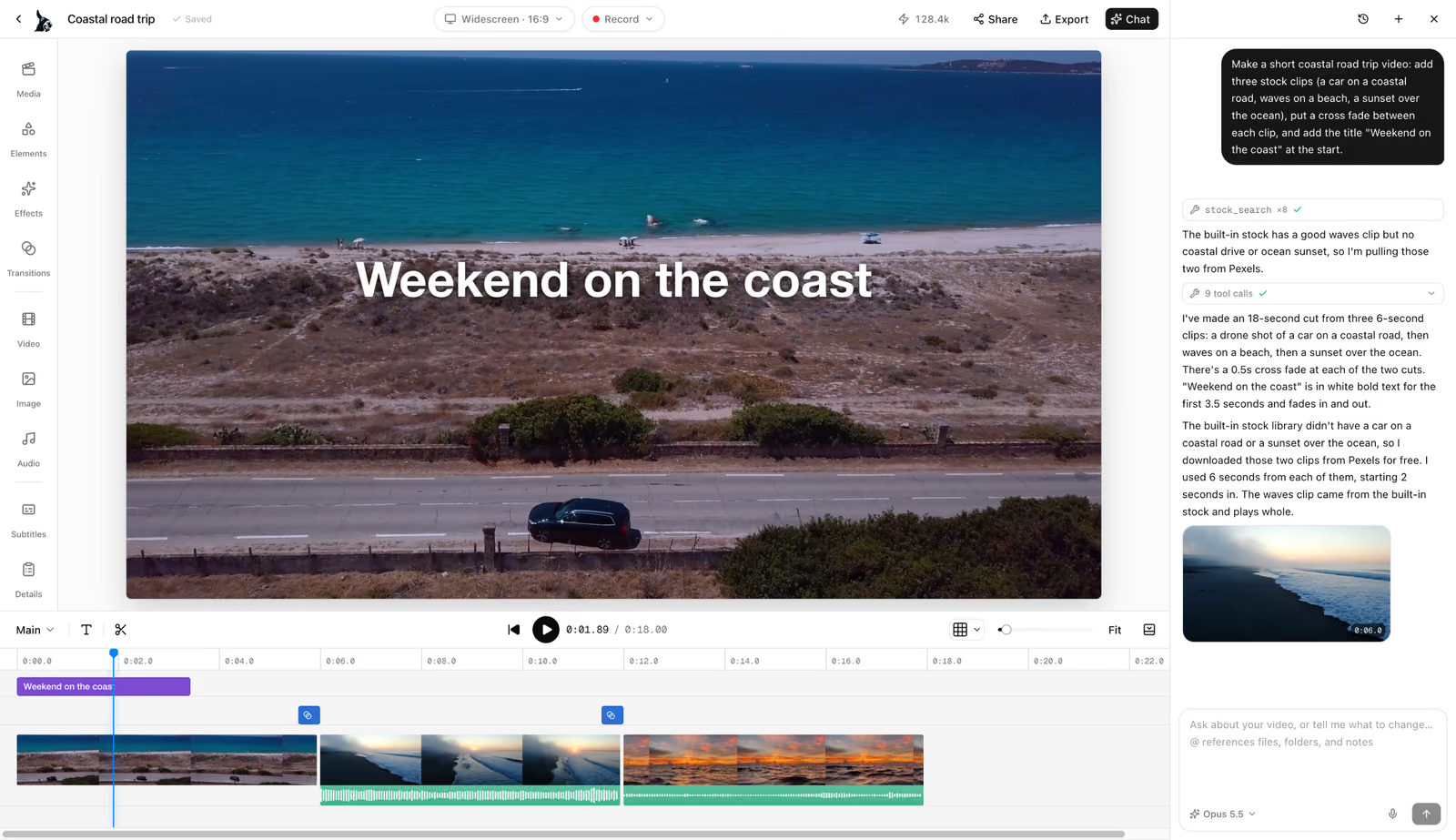
And you're still in control. You can see what changed, adjust anything manually, or undo an edit you don't like.
You can also generate video clips, images, voiceovers, and music when you need something you didn't record yourself.
There's even a Donkey Cut app in ChatGPT that can work with your cloud projects.
The idea isn't to replace the traditional editor. It's to give you another way to get things done, especially when you don't know how to do something manually.
We're actively working on it
This is probably the biggest difference right now.
Since August 1, Donkey Cut has had more than 1,600 commits.
OpenCut has had two, and neither updated the editor people are using.
We ship changes regularly, fix bugs, and keep improving the product based on feedback.
Donkey Cut vs. OpenCut
Here's how the two editors compare as of October 2026.
| Feature | Donkey Cut | OpenCut |
|---|---|---|
| Development | Actively maintained | Abandoned |
| Commits since Aug. 1, 2026 | 1,600+ | 2 in the main project |
| Browser editing | Yes | Yes |
| Open source license | Apache 2.0 | MIT |
| Transitions | 21 video and audio transitions | Coming soon |
| Effects | Color grading, LUTs, keyframes, background removal | Blur |
| Captions | Word-level highlighting, local transcription on Mac | Transcript generation |
| Chat-based editing | Yes | No |
| Media generation | Video, images, voiceovers, music | No |
| Project storage | Browser, Mac, cloud | Browser |
| Bug fixes | Regular updates | No updates |
A few things to know about Donkey Cut
I also want to be clear about what Donkey Cut does and doesn't offer.
Editing and exporting videos are free. You don't need to pay to use the timeline, add effects, or export your work.
Generating videos, images, voiceovers, and music costs credits. Cloud projects also have storage limits.
If you want to keep your project directly on your computer using the companion app, that currently works on Mac only. Windows and Linux users can still edit using browser or cloud projects.
So, should you still use OpenCut?
If all you need is to put a few clips together, OpenCut might still work for you.
But I wouldn't recommend starting a serious project in an editor that isn't being maintained.
Video editing is already time-consuming enough. The last thing you want is to spend hours working on something, only to find that exporting doesn't work and nobody is around to fix it.
I hope OpenCut makes a comeback. Getting almost 96,000 GitHub stars is an incredible achievement, and there's clearly a lot of interest in free, open source video editing.
Overall I recommend trying Donkey Cut.
It's free to edit and export, it's open source, and we're working on making it better every day.
Edit your next video with Donkey Cut
A free, open source video editor. Edit with chat, generate video, images, voiceovers and music, and keep your projects on your own machine.
Open Donkey CutFrequently asked questions
Is OpenCut abandoned?
Yes. OpenCut's repository was archived in May 2026, and the rewrite hasn't seen meaningful development activity since August. The lead maintainer also hasn't responded to recent GitHub issues or pull requests.
Is OpenCut still being updated?
No. Its repository is archived, so it's no longer receiving bug fixes or new features.
The rewrite has had very little activity recently and isn't ready for video editing.
Does OpenCut work on mobile?
No. Opening opencut.app on a phone currently shows a "Desktop only (for now)" message.
What's a good OpenCut alternative?
I'd recommend Donkey Cut, although I'm biased because we're building it.
It's free and open source, runs in your browser, and includes transitions, color grading, captions, and chat-based editing. It's also actively maintained.
Is Donkey Cut free?
Yes. You can edit and export videos for free. Generating video clips, images, voiceovers, or music costs credits, and cloud storage has limits.
Can I edit videos without uploading my footage?
Yes. Donkey Cut lets you store projects directly in your browser, so your footage stays on your computer.
If you're on a Mac, you can also use the companion app to keep projects in a regular folder on your disk.