

CapCut became popular for a pretty simple reason. It made video editing easy.
You could drop in a few clips, add captions, pick some text animations and have a video ready for TikTok or Instagram in minutes.
You didn't need to know much about video editing.
But CapCut has changed quite a bit. More features are locked behind Pro, and its terms of service have raised questions about what happens to content you upload.
So I wanted to look at the open source alternatives.
The problem is that most lists of CapCut alternatives recommend editors like Kdenlive, Shotcut and OpenShot.
Those are good editors, but they feel nothing like CapCut.
If you're used to CapCut's simple interface, switching to Kdenlive can feel like going backward 15 years.
So instead of just listing every free video editor, I wanted to focus on the open source projects that actually come close to the CapCut experience.
The short answer
If you want an open source editor that feels similar to CapCut, OpenReel is one of the more interesting options. It runs in your browser and has animated text, captions, templates and other features designed for short videos.
OpenCut is probably the most popular open source CapCut alternative on GitHub, but I wouldn't recommend it right now. The original project was archived, and its replacement hasn't delivered a usable editor yet.
Donkey Cut is another option. Full disclosure, it's our project. It runs in the browser, has a traditional timeline, and lets you use an AI assistant to help edit your videos.
OpenChatCut is worth watching if you're interested in editing with an assistant and working from transcripts, although it's still early.
If you want a mature desktop editor, Kdenlive and Shotcut are probably your safest choices.
They're powerful and actively maintained.
They're also ugly.
Neither feels much like CapCut, but both can handle serious editing work.
Open source CapCut alternatives compared
| Editor | Platform | Auto captions | Best for |
|---|---|---|---|
| OpenReel | Browser, desktop alpha | Yes | CapCut-style text and templates |
| Donkey Cut | Browser, Mac app | Yes | Easy editing with an AI assistant |
| OpenChatCut | Desktop | Yes | Transcript and assistant-based editing |
| Kdenlive | Windows, Mac, Linux | Yes | Advanced editing |
| Shotcut | Windows, Mac, Linux | Yes | Traditional video editing |
| OpenShot | Windows, Mac, Linux | No built-in | Beginners |
I'm leaving OpenCut off the main recommendation table because its original repository was archived and the rewrite hasn't delivered a usable replacement yet.
I'll still cover it below because it's one of the first projects people find when searching for an open source CapCut alternative.
OpenReel
OpenReel is probably one of the closest open source projects to CapCut in terms of features.
It runs directly in your browser, so there's nothing to install.
You get a timeline, automatic captions, animated text, templates, keyframes, color adjustments and support for vertical videos.
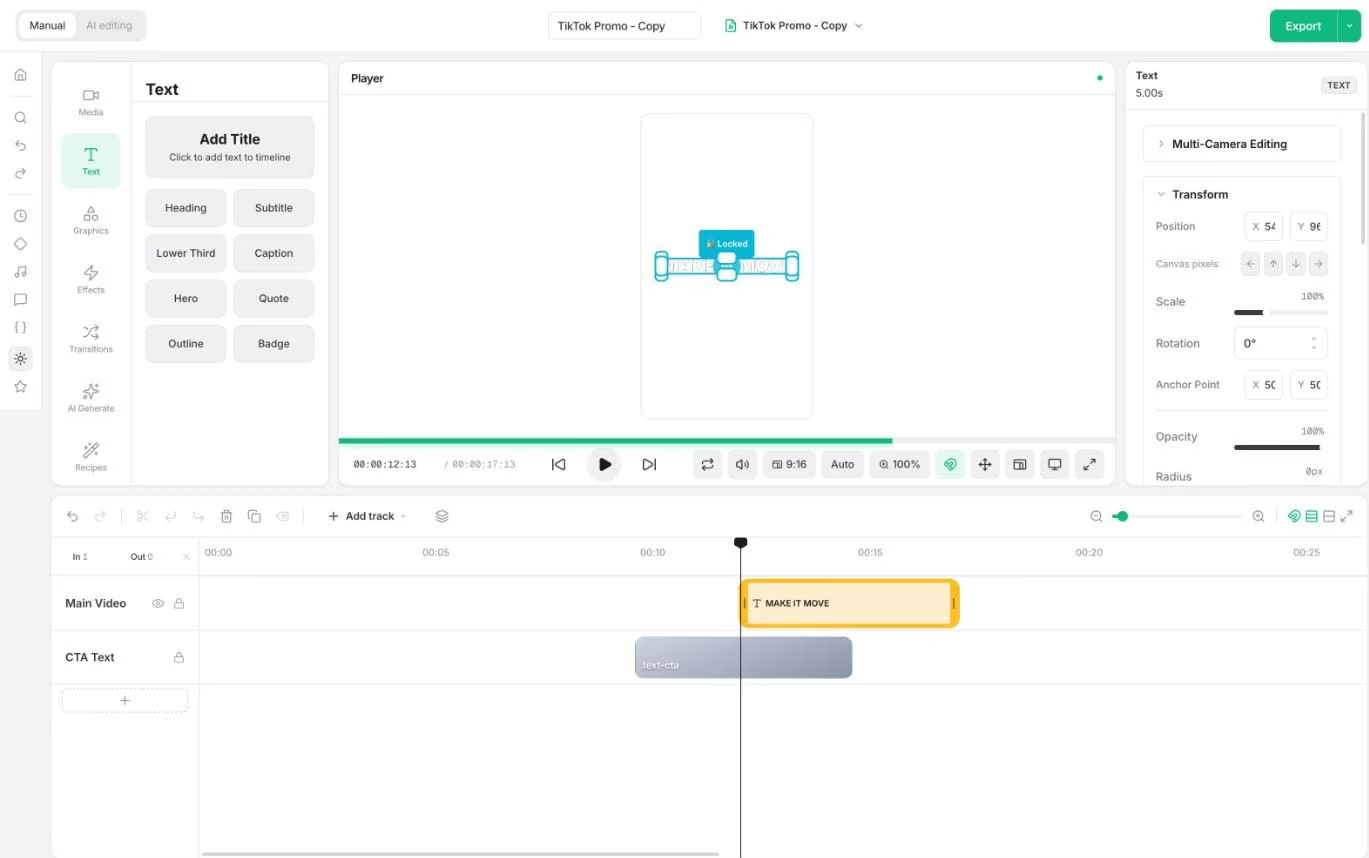
It has more than 20 text animations, which is particularly useful if you're making TikTok videos, Instagram Reels or YouTube Shorts.
It also has an AI chat panel, although you'll need to bring your own API key to use it.
The project is still relatively young, and the desktop version is in alpha.
It also works best in Chrome or Edge rather than Safari.
But if you're specifically looking for something that feels like CapCut, OpenReel is worth trying.
It focuses on the features that short-form creators actually use, rather than trying to be a professional video editor.
OpenCut
OpenCut is an interesting story.
It launched in 2025 as an open source alternative to CapCut and quickly became one of the most popular video editing projects on GitHub.
It attracted tens of thousands of stars.
Clearly, a lot of people wanted an open source CapCut alternative.
But GitHub stars don't necessarily mean a product is good or actively maintained.
The original OpenCut repository was archived in May 2026.
The developers announced a complete rewrite, but the replacement hasn't delivered a usable editor yet.
The old browser editor is still accessible, and it has some useful features like a multitrack timeline, captions, keyframes, masks and stickers.
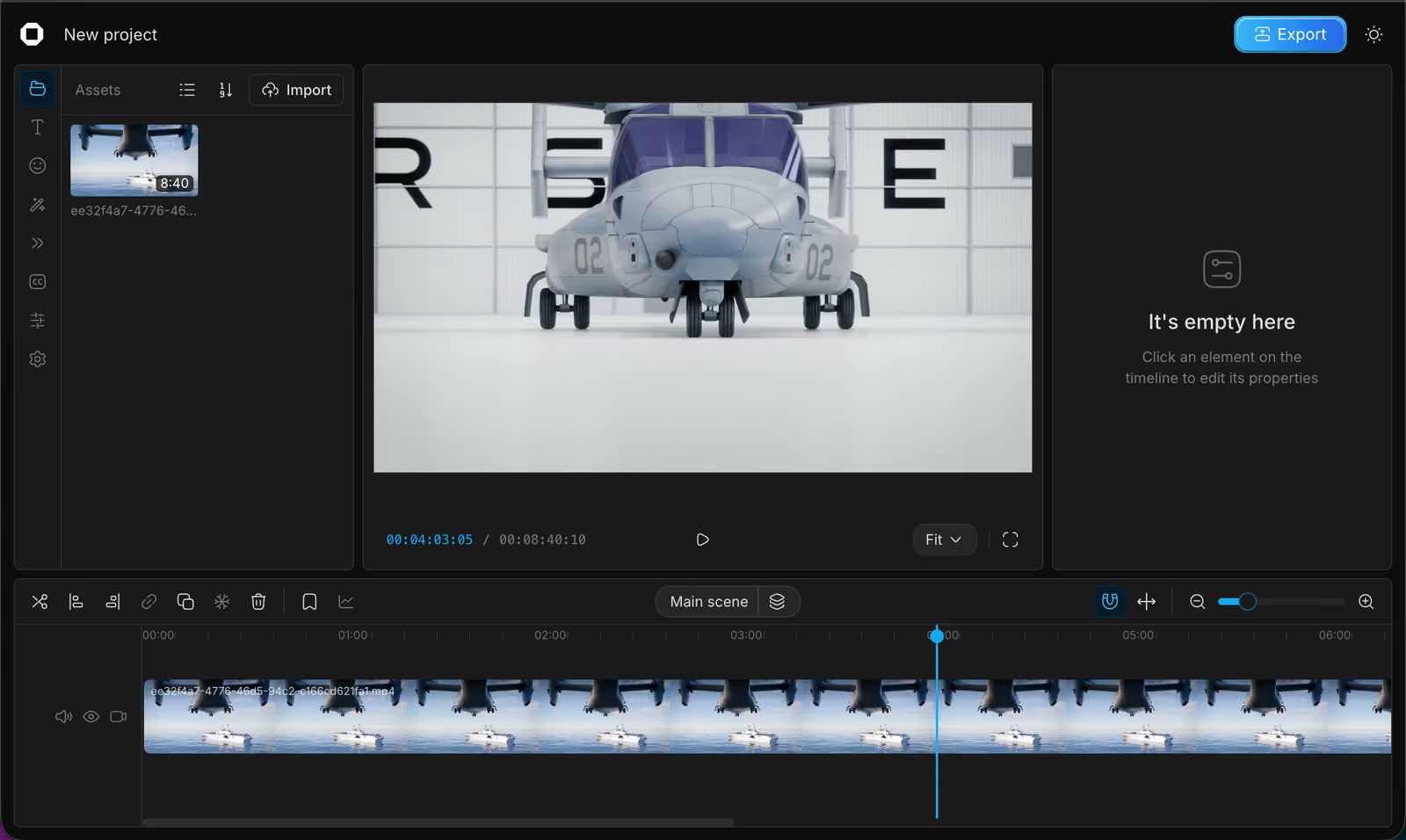
But development on that version has stopped.
That's why I wouldn't recommend OpenCut right now.
It might become a good option again if the rewrite actually ships. Until then, I'd rather use something that's actively being developed.
Donkey Cut
Donkey Cut is our open source video editor, so I'm obviously biased here.
I started building it because I wanted something simpler than traditional video editors.
CapCut got a lot of things right.
You can make a decent-looking video without spending weeks learning how to edit.
But I think video editing can be even simpler.
Instead of finding the right button, effect or setting, why not just describe what you want?
That's what we're trying to do with Donkey Cut.
You can use it like a regular editor, with a timeline, multiple tracks, captions, animated text, effects, transitions, music and color grading.
Or you can use the assistant.
For example, you can ask it to remove pauses, add captions, create a title or assemble clips into a rough cut.
It makes those changes directly on the timeline, so you can see what happened and adjust everything manually afterward.
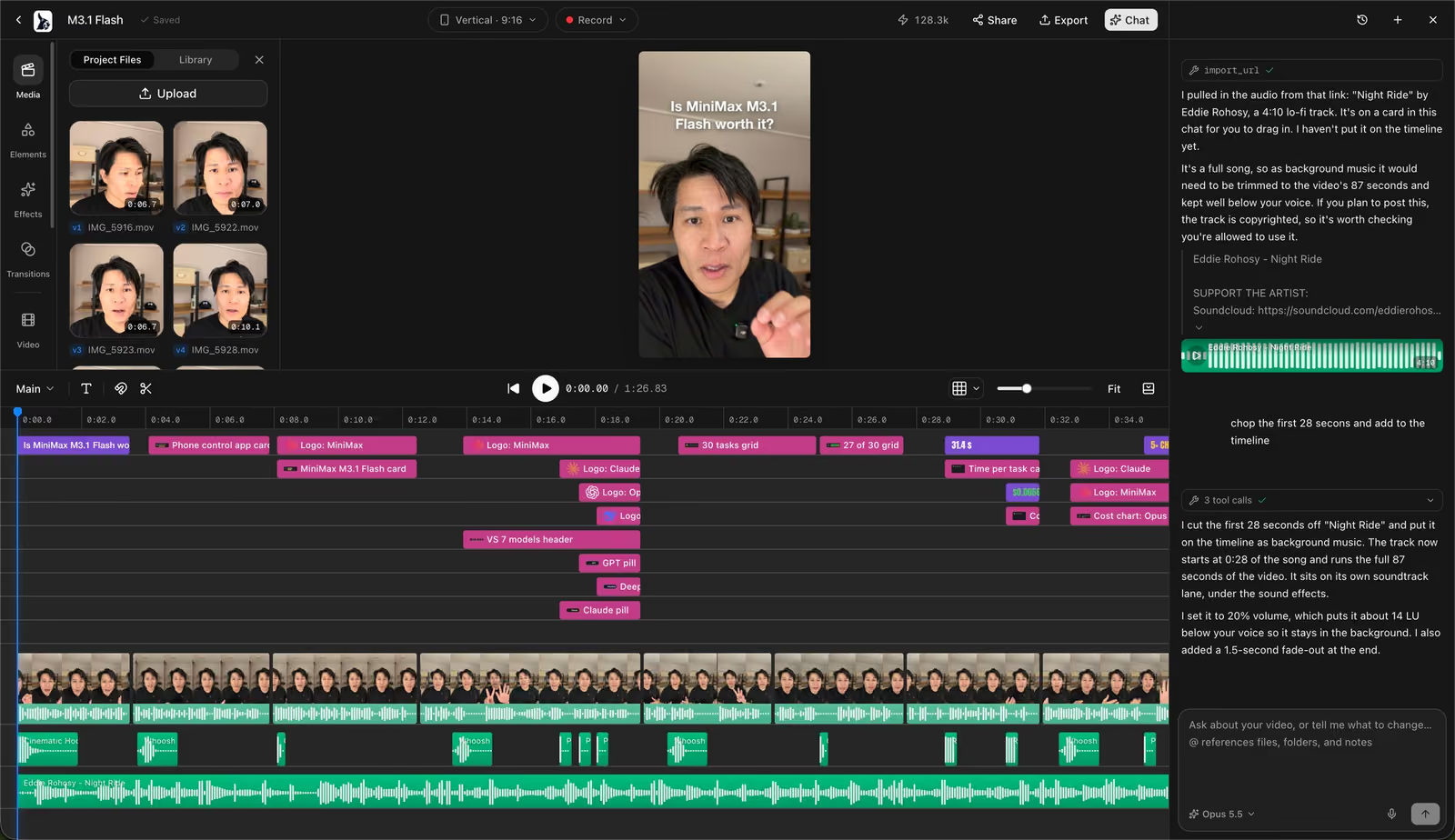
Donkey Cut runs in the browser, so there's nothing to install. There's also a Mac app.
On a Mac, the assistant can use your existing Claude Code or Codex subscription, so you don't need to set up API keys.
You can also generate images, video clips, voiceovers and music using paid credits.
Projects can be stored locally or in the cloud, depending on how you want to work.
There are limitations.
Donkey Cut is a much newer project than Kdenlive or Shotcut, so it doesn't have the same history or community behind it.
And the native desktop app is currently Mac only.
But if you're looking for an open source CapCut alternative that's easier to use, especially if you'd rather describe edits than do everything manually, it's worth trying.
The editor is free and open source under Apache 2.0.
You can try it at donkeycut.com, and the source code is on GitHub.
Edit your next video with Donkey Cut
A free, open source video editor. Edit with chat, generate video, images, voiceovers and music, and keep your projects on your own machine.
Open Donkey CutOpenChatCut
OpenChatCut is another interesting open source video editor.
It combines a traditional timeline with transcript editing and an AI assistant.
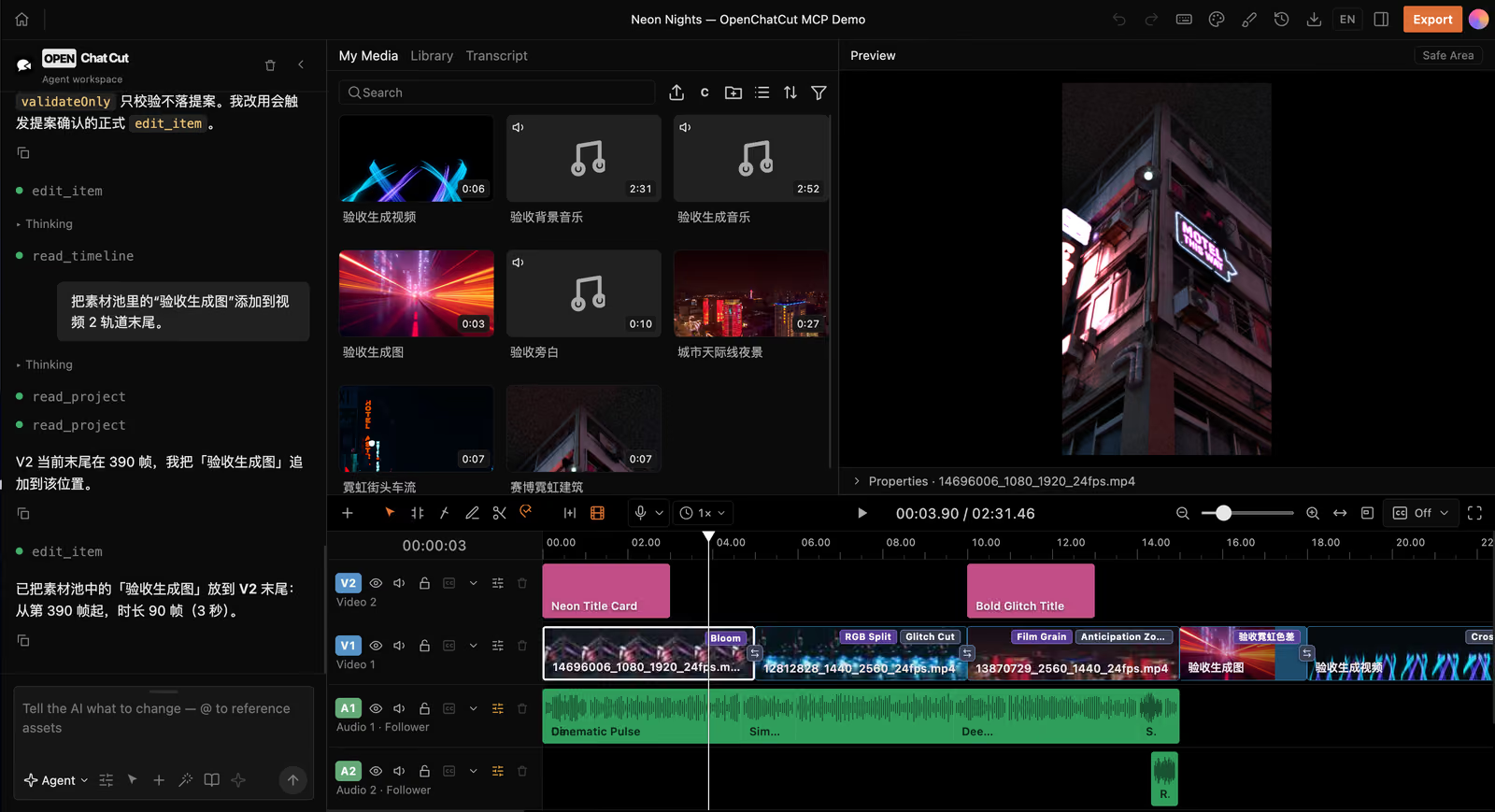
You can generate captions, edit videos from transcripts, remove pauses and use the assistant to make changes.
It also supports motion graphics templates and generating images, video, speech and music.
That's a pretty ambitious feature set.
The editor supports different model providers, although some features require API keys or a compatible subscription.
The biggest problem is that it's still early.
The project is at version 0.1.3, and the Mac builds are unsigned.
It's worth experimenting with, but I wouldn't rely on it for important editing projects just yet.
Kdenlive
Kdenlive is probably the most complete traditional open source video editor available.
It has a full multitrack timeline, keyframes, effects, proxy editing, titles, color correction and plenty of other advanced features.
It also supports automatic captions using Whisper and object masking with SAM2.
It's free, actively maintained and runs on Windows, Mac and Linux.
But I wouldn't call it a CapCut alternative in terms of user experience.
The interface is complicated and outdated.
There are panels and settings everywhere, and it takes time to learn how everything works.
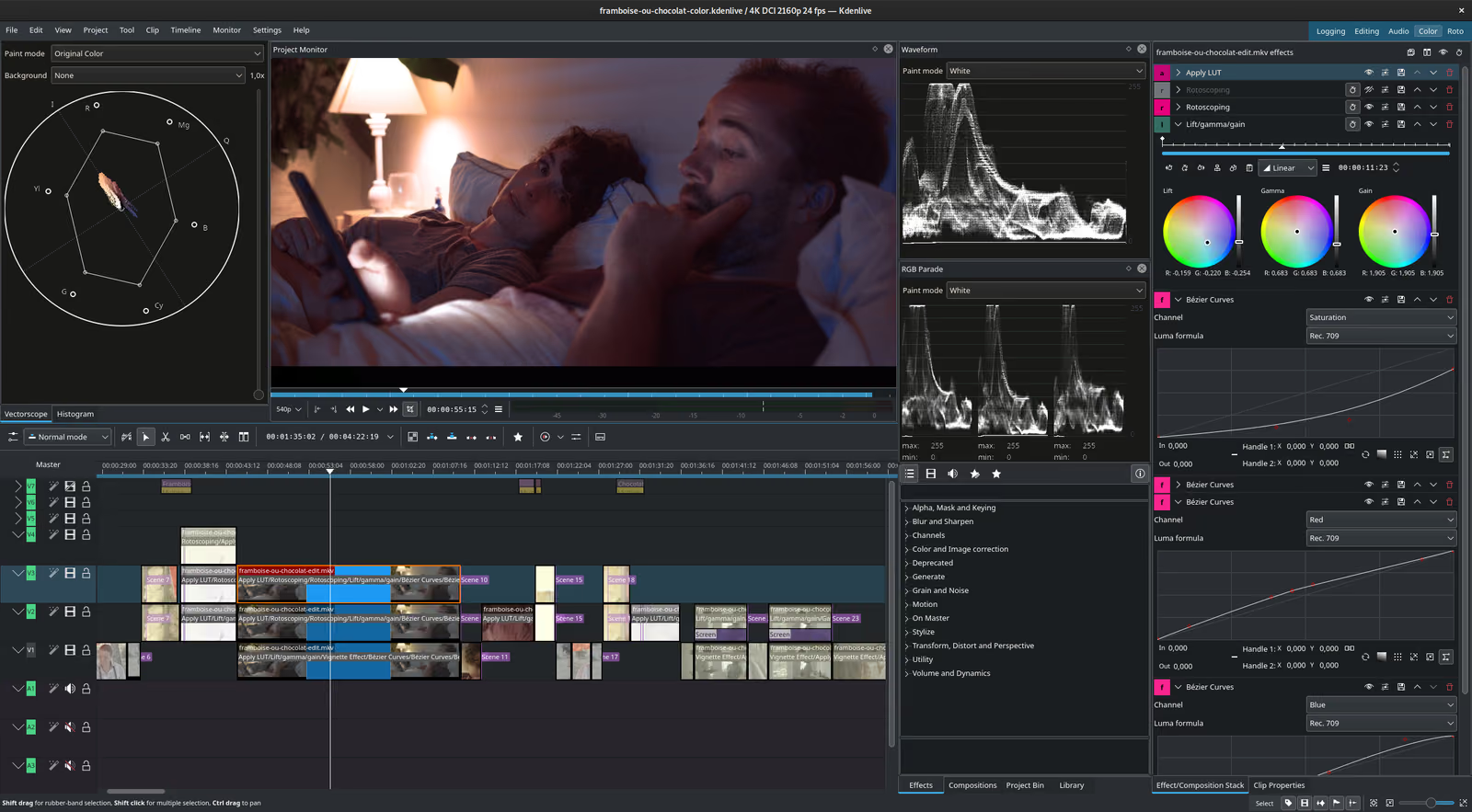
If you're used to CapCut, Kdenlive will probably feel overwhelming at first.
But if you're willing to learn it, you get a powerful editor without paying for a subscription.
Shotcut
Shotcut is another mature open source video editor.
Like Kdenlive, it supports multiple tracks, effects, keyframes, color adjustments and automatic captions through Whisper.
It also has strong format support and HDR editing features.
The problem is similar to Kdenlive.
It's not particularly easy to use.
The interface feels like an older desktop application, and creating the kinds of animated captions and text effects that CapCut makes easy takes more manual work.
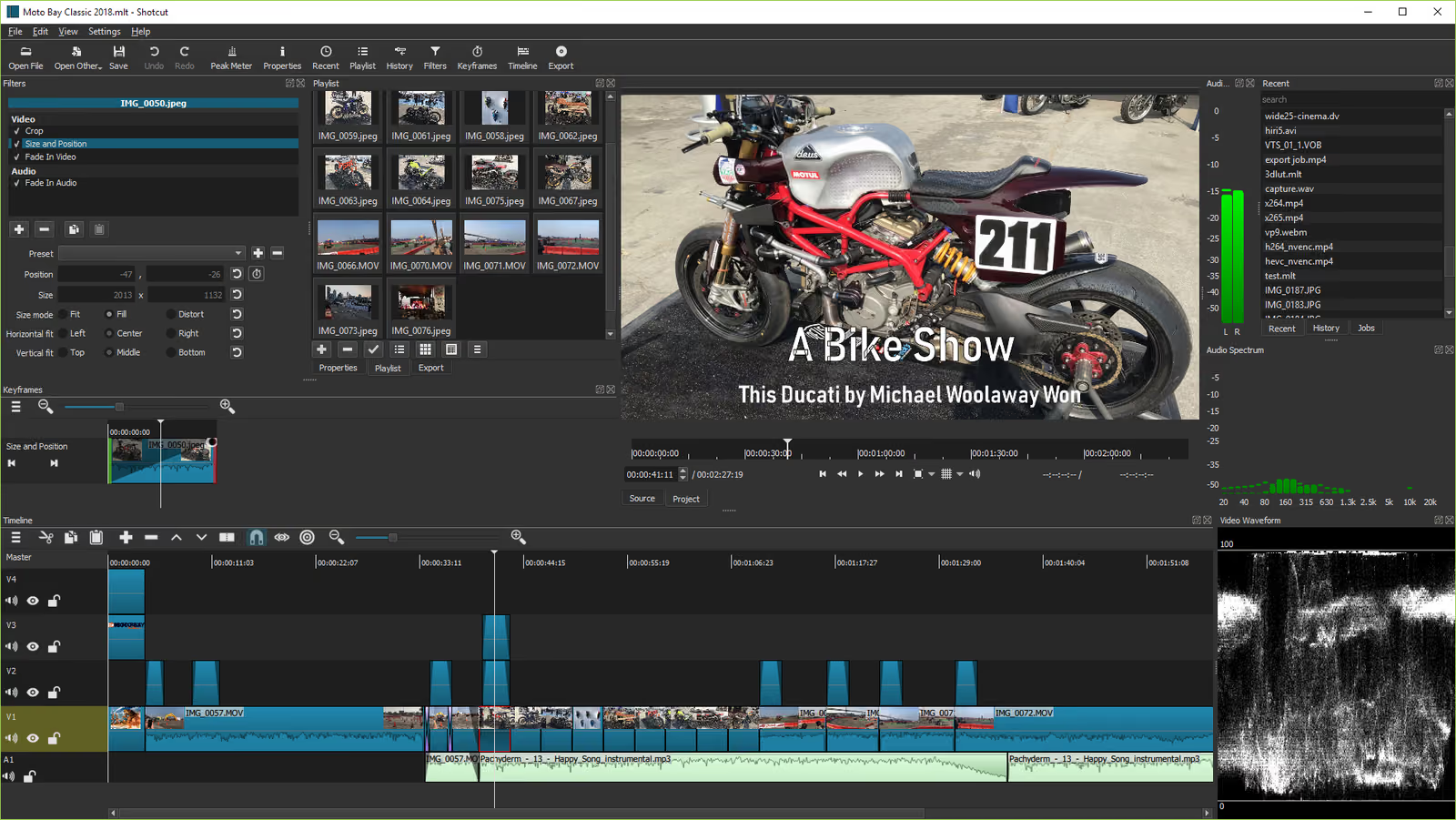
But Shotcut is actively maintained, reliable and completely free.
If you don't care much about templates or trendy effects, it's a solid choice.
OpenShot
OpenShot is probably the easiest of the traditional open source editors.
You can drag clips onto a timeline, add transitions, insert titles and export a video without much setup.
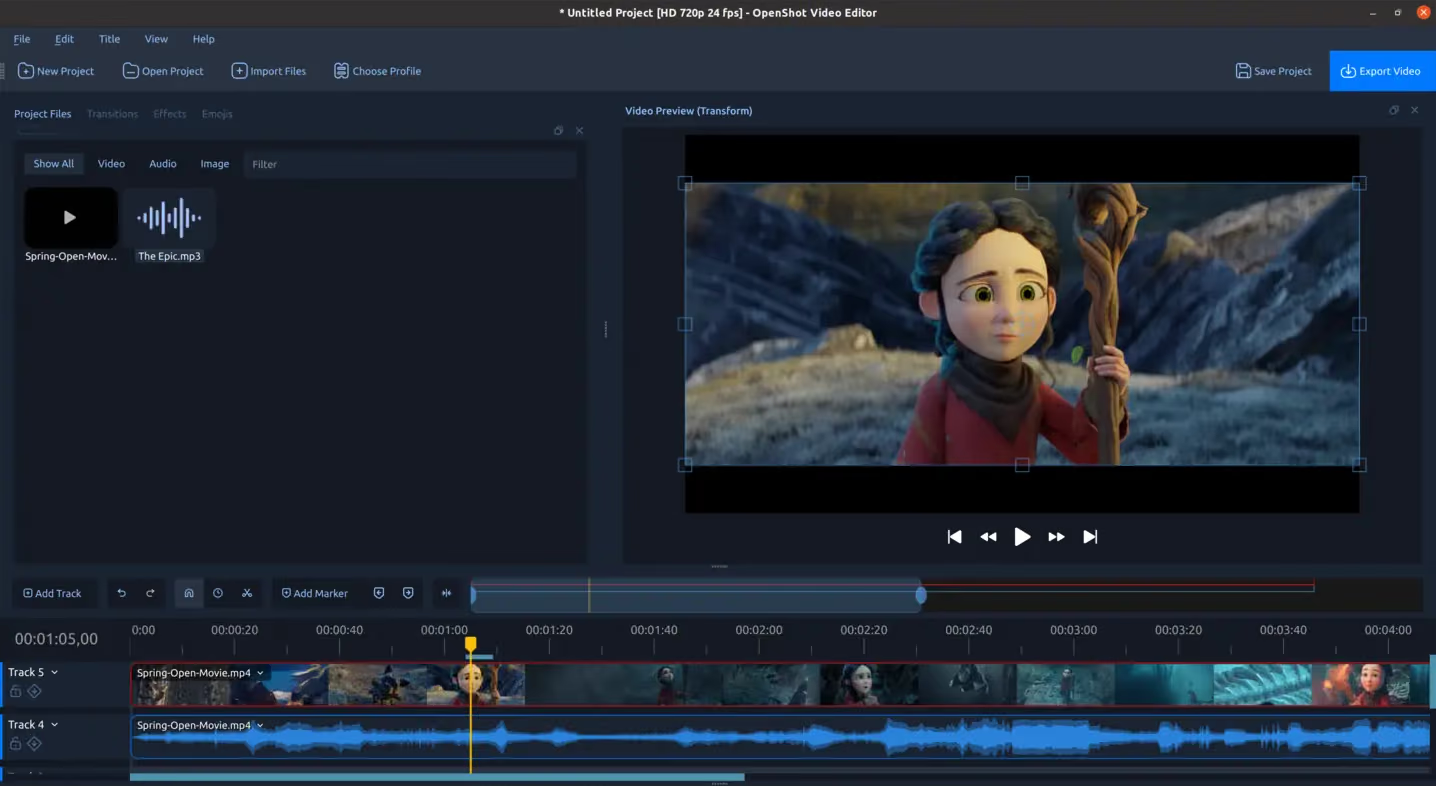
That makes it a reasonable option for beginners.
But it doesn't have the same automatic captions, templates or short-form editing features that make CapCut popular.
It also has a reputation for struggling with larger projects.
If you're making a simple video for the first time, OpenShot might be enough.
But if you're regularly creating TikTok videos or Instagram Reels, I'd probably look at OpenReel or Donkey Cut first.
What about LosslessCut and Blender?
Both show up on lists of open source CapCut alternatives, but I don't think either belongs there.
LosslessCut is a great tool for trimming videos without losing quality.
It's fast, simple and useful.
But it doesn't have a traditional editing timeline, animated text, captions or effects.
It's not trying to replace CapCut.
Blender has a real video editor, but it's primarily a 3D application.
It's powerful, especially if you're already using Blender for motion graphics.
But if you're looking for something as easy to use as CapCut, Blender is probably the last thing I'd recommend.
Which open source CapCut alternative should you use?
It depends on what you liked about CapCut.
If you want animated text, captions and templates, try OpenReel. It's one of the closest options to CapCut's short-form editing workflow.
If you want a simpler way to edit videos, try Donkey Cut. You can edit manually or ask the assistant to handle parts of the work.
If you want transcript editing, OpenChatCut is worth exploring, although it's still early.
If you want a mature desktop editor, Kdenlive or Shotcut are your best choices.
If you're a beginner who just needs basic editing, OpenShot is worth trying.
I wouldn't recommend OpenCut right now. It's popular on GitHub, but I'd wait until the rewrite delivers a usable release.
Frequently asked questions
Is there an open source version of CapCut?
No. CapCut itself is closed source.
But there are open source alternatives, including OpenReel, Donkey Cut, OpenChatCut, Kdenlive and Shotcut.
What is the best free open source CapCut alternative?
If you want something similar to CapCut's interface and features, OpenReel is worth trying.
If you want to edit in a browser with help from an AI assistant, try Donkey Cut.
For traditional desktop editing, Kdenlive and Shotcut are more mature options.
Is there an open source CapCut alternative for Mac?
Yes. Donkey Cut has a Mac app and browser editor.
Kdenlive and Shotcut also run natively on Apple Silicon Macs.
OpenReel works in a browser, although Chrome or Edge is recommended.
Is there an open source CapCut alternative for Windows?
Yes. Kdenlive, Shotcut and OpenShot all run on Windows.
OpenReel and Donkey Cut also work in a browser without installing anything.
Can I edit videos in a browser without uploading my files?
Yes, depending on the editor and project settings.
OpenReel processes media in the browser.
Donkey Cut supports local projects that keep media on your computer, as well as cloud projects.
Do open source CapCut alternatives have automatic captions?
Yes. OpenReel, Donkey Cut, OpenChatCut, Kdenlive and Shotcut all support automatic captions.
OpenShot doesn't have the same built-in automatic captioning workflow.
Is there an open source CapCut alternative for iPhone or Android?
There isn't a mature open source mobile editor that matches CapCut's feature set yet.
Most of the alternatives covered here are designed for desktop computers or browsers.
Why are people looking for CapCut alternatives?
There are a few reasons.
CapCut has moved more features behind its paid plans, and some users don't like relying on a subscription for basic editing tools.
Its terms of service have also raised concerns about the rights granted over uploaded content.
And CapCut's temporary shutdown in the US in January 2025 reminded creators that relying on a single platform comes with risks.
Can I use open source video editors for commercial projects?
Yes. The open source licenses used by these editors allow commercial use.
The license generally applies to the software itself, not the videos you create with it.
Final thoughts
I think CapCut proved something important.
Most people don't want to become professional video editors.
They just want to make good-looking videos without spending hours learning complicated software.
And CapCut made that possible.
The problem is that most open source video editors still haven't caught up when it comes to ease of use.
Kdenlive and Shotcut are powerful, but they're complicated. OpenShot is simpler, but it's missing a lot of the features short-form creators expect.
Projects like OpenReel, OpenChatCut and Donkey Cut are interesting because they're trying different approaches.
Some focus on templates and animations. Others focus on making editing easier through natural language.
That's part of why we're building Donkey Cut.
I think there's room for an open source video editor that has the simplicity of CapCut without locking everything behind a subscription.
For now, there isn't a perfect open source CapCut replacement.
But there are some promising options, and depending on what you're making, you might already find one that works for you.
Edit your next video with Donkey Cut
A free, open source video editor. Edit with chat, generate video, images, voiceovers and music, and keep your projects on your own machine.
Open Donkey Cut